You sit down ten minutes before the call, adjusting the tilt of your laptop screen while the cooling fan hums a quiet rhythm against your desk. Outside your window, the morning sun is struggling through the overcast sky, but inside, you are relying on a manufactured dawn. You adjust your collar, take a slow breath, and prepare to project the most capable version of yourself across the country.
You reach up and click the inline switch on your USB cable. A blinding white circle flares to life, blasting your retinas with perfection. You bought this piece of hardware because someone told you it was a shortcut to looking polished, a quick fix to mask the tired lines, the uneven shadows of a stressful week, and the harsh overhead bulbs of your apartment.
The little green indicator dot next to your webcam turns on, and you check your preview window. Your skin looks flawless, almost porcelain, completely devoid of texture. You look like a broadcaster, immune to the physical realities of a 65-degree living room.
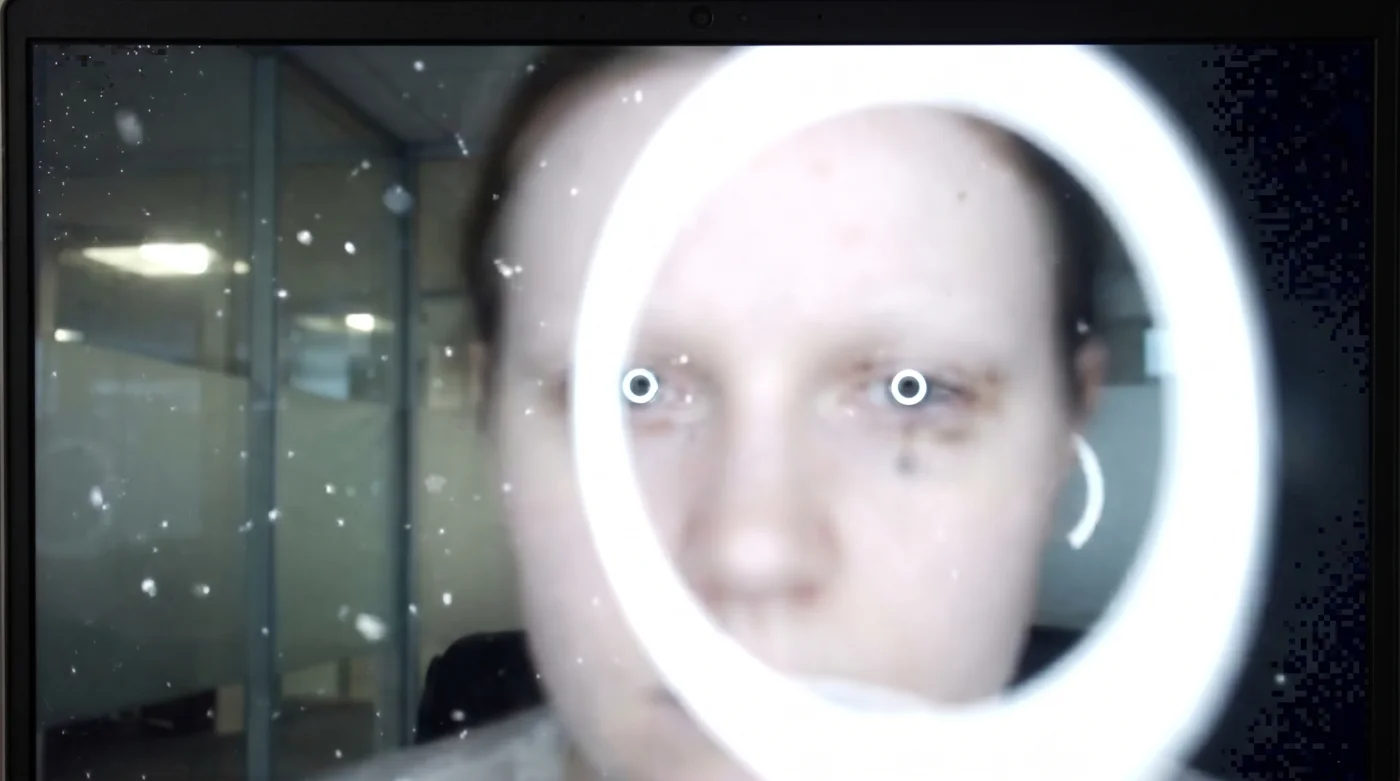
But the moment you shift in your chair or lean forward to emphasize a point, the background begins to pulse. The image breathes, softening into a smeared watercolor before snapping back, triggering aggressive autofocus hunting that leaves your interviewer squinting at a blurry abstraction of a candidate.
The Topography of Your Face
Think of a webcam lens not as an eye, but as a hand reaching out in the dark. It relies entirely on edges, shadows, and micro-contrasts to understand where your chin ends and the wall begins. When you flood your face with perfectly flat, direct light from a circular source, you erase the topographical map of your features.
You have inadvertently created a visual void. By attempting to look immaculately professional, you strip away the depth markers the camera needs to lock onto your pupils or the bridge of your nose. The very shadows you tried so hard to eliminate are the exact anchors your technology requires to function. Without them, the lens is effectively blind.
This flat illumination mimics the absolute worst conditions for digital sensors. When the camera loses those shadows, the algorithmic tracking built into modern conferencing software panics. It starts searching the room for a hard edge—a bookshelf, a doorframe, a stray coffee cup—leaving your face in a perpetual state of soft-focus limbo. Every time you nod, the camera loses you all over again.
- Standing desks create severe lumbar compression without anti-fatigue floor mats
- Noise-canceling headphones degrade auditory awareness during critical remote team meetings
- Resume paper texture causes errors in automated applicant scanning machines
- Cubicle walls originally aimed to increase freedom for corporate employees
- Ergonomic mice eliminate the wrist strain slowing down spreadsheet navigation
This constant visual shifting creates microscopic friction for the person on the other side of the screen. Instead of hearing your brilliant answer about project management, they quietly register deep visual fatigue as their brain struggles to decode your blurry expressions. They start to feel disconnected from you, and they rarely realize it is simply the fault of your desk lamp.
Julian Vance, a 38-year-old technical recruiter for a Seattle-based logistics firm, sees this play out a dozen times a day. He noticed a bizarre trend last year: highly qualified candidates were being subtly scored lower on communication skills by hiring managers. The common denominator was not their resumes; it was their lighting. ‘When a candidate blasts themselves with a ring light, the enterprise hiring software tracking just drops them,’ Julian notes. ‘The automated tools we use to summarize engagement flag them as unresponsive simply because the flat light washed out the micro-expressions the software is trained to read. They literally filtered themselves out of the running by trying to look too bright.’
Adapting to the Digital Environment
The solution is not to sit in the dark, but to treat light like physical weight in your room. You must build deliberate visual asymmetry to help the camera read you as a three-dimensional human being.
For the Corner-Bound Professional
If your desk is shoved into the corner of a bedroom with no natural windows, a ring light pointing directly at your forehead is a recipe for disaster. You need to bounce that light. Turn the ring light around so it faces the wall behind your monitors. The light will hit the drywall and wash back over you, turning a harsh, singular beam into a soft, glowing ambient field. This technique mimics the effect of a large window, filling the space without flattening your face.
For the Glasses Wearer
Nothing ruins a solid first impression like two bright white halos reflecting in your lenses, masking your eyes completely. Move the light source significantly higher and push it off to your right or left side at a 45-degree angle. By elevating the source, the reflection drops down past your lenses and out of the frame, restoring crucial eye contact and bringing back the subtle, defining shadow under your jawline.
For the Sun-Drenched Room
If you have a bright window on one side of your face, do not fight it with an LED on the other. Turn the ring light off completely. Move your desk so the window is slightly in front of you, wrapping natural sunlight around your cheek. Let the far side of your face fall into a gentle shadow; it proves to the camera, and the interviewer, that you occupy real space.
Restoring Depth to the Room
Fixing this visual filter does not require expensive diffusion gels or a degree in cinematography. It requires intentional spatial awareness and a willingness to embrace the natural textures of your workspace.
Follow these steps to ground your visual presence before your next major interview:
- Position your main light source at a 45-degree angle to your face, not dead center, to create defining edge shadows.
- Dim the LED intensity down to roughly 30 percent; the cream should tremble, not boil.
- Place a small, warm desk lamp in the background to give the camera a secondary focal anchor that prevents hunting.
- Wipe your webcam lens with a dry microfiber cloth to remove the microscopic oils that scatter incoming light.
Tactical Toolkit: Keep your color temperature around 3200 Kelvin—a warm, late-afternoon hue—rather than the clinical 5600 Kelvin of standard daylight LEDs. This mimics the comforting physical glow of a physical office rather than the harsh reality of a surgical theater, putting both you and the recruiter at ease.
The Weight of Being Seen
There is a strange vulnerability in allowing yourself to be seen with shadows. We have been conditioned by visual media to believe that professionalism requires erasing our physical reality, smoothing over our tired eyes, and presenting a sterile, glowing avatar to the world. We assume that perfection equals competence.
But true authority does not live in clinical perfection. It lives in grounded, physical humanity. When you allow the natural geometry of your face to cast subtle shadows, you stop fighting the technology. You allow the camera to rest, securely locked onto the reality of who you are.
You become a real person sitting in a real room, breathing through a pillow of soft, asymmetrical light. The recruiter stops squinting at a blurry ghost and starts listening to the calm, clear voice of someone who already belongs in the role.
A perfectly flat light removes the friction of shadow, but shadow is exactly what gives your words weight and your presence gravity.
| Key Point | Detail | Added Value for the Reader |
|---|---|---|
| Direct Ring Lighting | Flattens features and causes webcam autofocus to hunt continuously. | Prevents you from appearing blurry and distracted during key answers. |
| 45-Degree Offset | Creates subtle cheek shadows, allowing the lens to lock focus. | Ensures hiring software and human recruiters can read your expressions. |
| Wall-Bouncing | Turning the light to face the wall creates a soft, ambient room glow. | Eliminates harsh glare on glasses and reduces eye fatigue. |
Frequently Asked Questions
Why does my camera blur when I lean in?
Your webcam relies on contrast edges to maintain its focal distance. Flat lighting removes those edges, confusing the sensor when your distance changes.Can I still use my ring light for interviews?
Yes, but reposition it. Move it to the side, elevate it above eye level, or bounce the beam off a nearby wall.How do I stop my glasses from reflecting the LED?
The reflection angle equals the incident angle. Raise the light source higher so the reflection points down toward your desk, not back into the lens.Why do hiring platforms care about my lighting?
Many modern enterprise screening platforms use eye-tracking and micro-expression software. Washed-out faces prevent these tools from registering positive engagement.What color temperature is best for corporate calls?
Aim for warmer tones around 3200 to 4000 Kelvin to mimic ambient indoor lighting, avoiding the harsh blue-white of 5600 Kelvin.