It is two in the afternoon on a Tuesday. The glow of the monitor reflects off your glasses as you scroll through a massive spreadsheet containing forty-two tabs of raw data. The room is quiet, save for the rhythmic clicking of plastic on a laminate desk. But beneath the surface of your productivity, there is a quiet tension building in your dominant arm. It starts as a faint heat near the base of your palm, creeping up into your forearm like a slow-moving tide.
Most of us **dismiss the familiar ache** as the inevitable cost of a desk job. You stretch your fingers, roll your shoulder, and drop your hand back onto that low-profile, pebble-shaped mouse. The standard flat peripheral looks sleek sitting next to your keyboard, but it hides a physical flaw that slows down every macro you run and every cell you format. You are forcing your wrist into an unnatural twist for eight hours a day.
The reality of efficient data entry is not just about memorizing keyboard shortcuts or writing flawless formulas. It is about the physical connection between your body and the software. When your wrist is compressed, your reaction time drags. Micro-movements become hesitant. The median nerve, trapped under the weight of your own hand, begins to signal distress, subtly draining your focus away from the numbers on the screen.
By changing the shape of your primary tool, you can **reclaim your lost speed**. The vertical ergonomic mouse looks a bit like a piece of abstract art sitting on your desk, yet it holds the power to restore your natural alignment. Instead of fighting your anatomy, you work alongside it, turning a daily physical strain into a fluid, effortless glide across thousands of rows of data.
The Handshake Approach to Hardware
Think of your body when you walk. Your hands naturally rest at your sides with your palms facing your legs. Now, raise your arm to the desk. To place your hand flat on a traditional mouse, you have to twist your forearm inward. This position, known as pronation, forces the two bones in your forearm—the radius and the ulna—to cross over one another, stretching the muscles and pinching the delicate median nerve against the hard surface of the desk.
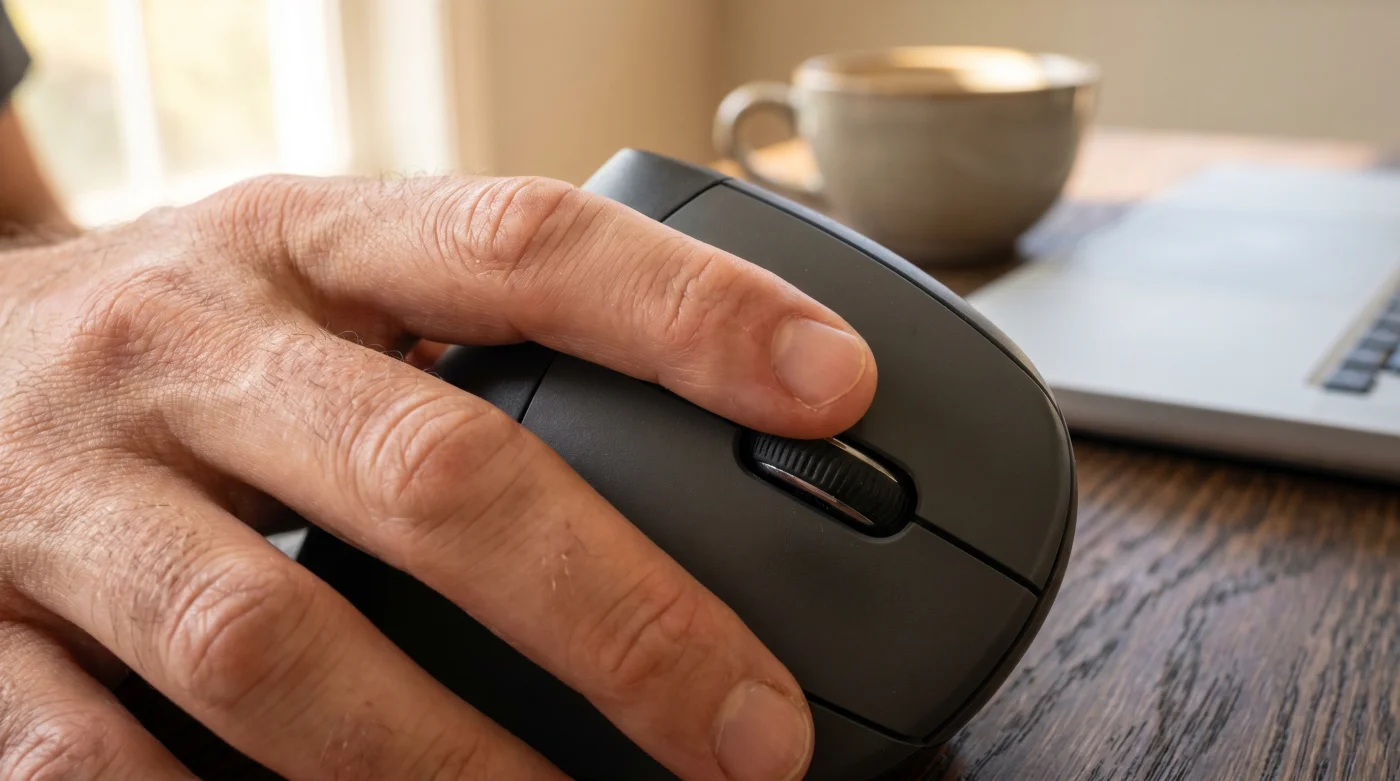
A vertical mouse operates on a different logic. It invites you to **shake hands with your workstation**. By rotating the grip surface up to a fifty-seven-degree angle, it uncrosses those bones and stacks them vertically. The pressure shifts away from the soft underside of your wrist and moves to the muscular, padded side of your hand. The median nerve is given room to breathe, effectively eliminating the compression that leads to tingling and fatigue.
This anatomical shift translates directly to software efficiency. When the median nerve is free, your micro-motor skills sharpen. Highlighting a specific cluster of cells or dragging a formula down a massive column no longer requires a tense, claw-like grip. Your hand rests against the vertical slope like it is breathing through a pillow, allowing the larger, more robust muscles of your shoulder and back to control the movement instead of overworking your fragile wrist tendons.
Meet David, a thirty-four-year-old financial analyst based in Chicago. Last year, during the intense buildup to Q4 earnings, he hit a physical wall. He was losing an hour a day just resting his hand, icing his wrist in the evenings just to get through the week. He tried wearing a stiff medical brace, but it made navigating his complex financial models nearly impossible. After swapping his flat mouse for a vertical design, he found **permanent relief without compromising speed**. The inflammation subsided within a week. He found that by assigning his most-used Excel macros to the thumb buttons of the new mouse, he reduced his total daily clicks by twenty percent. His pivot from a standard setup to an ergonomic one did not just cure his pain; it permanently accelerated his workflow.
Finding Your Specific Fit
Not every ergonomic tool is built for the exact same style of work. Depending on how you interact with your software, the way you adjust to a vertical mouse will vary. The goal is to carefully match the hardware to your daily computational habits so the transition feels seamless.
For the **dedicated spreadsheet power user**, precision is everything. You spend your days dragging fill handles and navigating dense grids of numbers. Look for a vertical mouse with an adjustable DPI (dots per inch) switch directly on the top. Lowering the DPI slows the cursor down, giving you pixel-perfect accuracy when selecting tiny cell borders. You will want a model with a heavily textured thumb rest so your grip remains completely relaxed during long modeling sessions.
For the remote project manager, who bounces constantly between presentation decks, project management software, and virtual meetings, wireless flexibility takes priority. You need a device that glides easily across different surfaces and has highly programmable side buttons. Assigning the forward and back thumb buttons to switch between application windows will drastically cut down on the time you spend dragging the cursor across dual monitors.
If you have **smaller than average hands**, the standard vertical models might feel like trying to palm a softball. Forcing your fingers to reach upward for the left and right click buttons will only introduce a new kind of strain to your knuckles. Seek out a compact ergonomic model specifically scaled down for a tighter grip. Your fingers should drape naturally over the buttons without any stretching or tension.
Mindful Recalibration
Transitioning to a vertical mouse feels strange for the first forty-eight hours. Your muscle memory is deeply programmed for pronation, and suddenly, you are operating on a tilt. You might accidentally knock the taller mouse off the desk when reaching blindly for your coffee mug. This initial clumsiness is a completely normal part of the recalibration process.
To smooth out the learning curve, you need to **adjust your physical space**. Start by lowering your chair or raising your desk slightly. Because your hand is now resting on its side, it sits higher off the desktop. If your armrest is too low, your elbow will hang, dragging your shoulder down with it. Plant your feet flat on the floor and ensure your elbow is bent at a perfect ninety-degree angle.
Follow these specific steps to integrate the new tool directly into your spreadsheet workflow:
- Adjust the cursor speed in your operating system settings. The vertical grip utilizes different muscle groups in your arm, so your old sensitivity settings will likely feel too fast and erratic.
- Move the mouse from your elbow, not your wrist. Keep your forearm resting lightly on the desk and sweep your entire arm back and forth to navigate the screen.
- Map your most tedious repetitive action to a thumb button. Whether it is a simple ‘undo’ command or switching between workbook tabs, offloading a keyboard command to your thumb creates immediate positive reinforcement for the new grip.
- Take your hand entirely off the mouse while you are reading long documents. Let your arm drop to your lap to fully reset your circulation.
Beyond the Spreadsheet
We tend to treat our workspace tools as an afterthought, accepting whatever cheap plastic peripherals were tossed into the corporate supply closet. But your body is the biological engine that drives your entire career. Ignoring the subtle friction of a compressed nerve is like ignoring a check engine light on a long road trip. It might not cause a breakdown today, but the hidden damage is quietly compounding.
Mastering this simple hardware swap does much more than **speed up your data entry**. It fundamentally changes how you feel when you close your laptop at five o’clock. Instead of carrying the day’s stress in a stiff, aching arm, you walk away physically untaxed. You actually have the energy left for cooking dinner, playing a guitar, or simply relaxing without nursing a sore joint with an ice pack.
When you perfectly align your tools with your anatomy, the work itself becomes lighter. You are no longer fighting the equipment on your desk. The numbers in the spreadsheet still require your intense mental focus, but the physical act of organizing them fades quietly into the background, exactly where it belongs.
The smartest professionals know that true efficiency is not about forcing your body to move faster; it is about permanently removing the physical friction that slows you down.
| Workspace Shift | The Physical Detail | The Professional Advantage |
|---|---|---|
| Standard Flat Mouse | Forces forearm pronation and wrist compression | Familiar grip out of the box, but leads to nerve fatigue during long sessions |
| Vertical Ergonomic Mouse | Aligns forearm bones naturally at a 57-degree angle | Protects the median nerve and allows for relaxed, fluid spreadsheet navigation |
| Programmed Thumb Buttons | Moves repetitive keystrokes to the resting thumb | Reduces overall hand movement and dramatically accelerates data formatting |
Workspace Hardware FAQ
How long does the transition to a vertical mouse take? Most professionals adapt fully within three to five days of continuous use, at which point the old flat mouse will feel incredibly awkward.
Will a vertical mouse cure my carpal tunnel syndrome? While it removes the desk pressure that aggravates the median nerve, you should always consult a physical therapist for treating diagnosed medical conditions.
Do I need to change my typing habits too? It certainly helps. Pairing an ergonomic mouse with a split keyboard maintains that natural, un-twisted alignment across both of your arms.
Can I still use a vertical mouse for precise design work? Yes, but it requires practice. Lowering the DPI settings on the mouse will give you the tight control needed for adjusting graphics or fine-tuning charts.
Why do I feel soreness in my shoulder after switching? You are finally using your larger arm and shoulder muscles to move the mouse instead of solely isolating your wrist. This mild muscular soreness will fade quickly as those larger muscle groups adapt to the movement.